Use Poker Assistant
Start here
The first ten minutes with the app, from opening it to reading your first range.
You can load the free heads-up set, open a spot and say what the grid is telling you.
- Poker Assistant on an iPad, Mac or Android tablet. None has shipped yet, so read this as a preview of the first session.

Before you start
Poker Assistant opens on the Study screen with nothing loaded on first launch. The free heads-up set already sits on the device, so this lesson costs nothing and needs no account. Two steps take you from an empty screen to a spot you can read: load the structure, then open a spot inside it.
Open the heads-up set
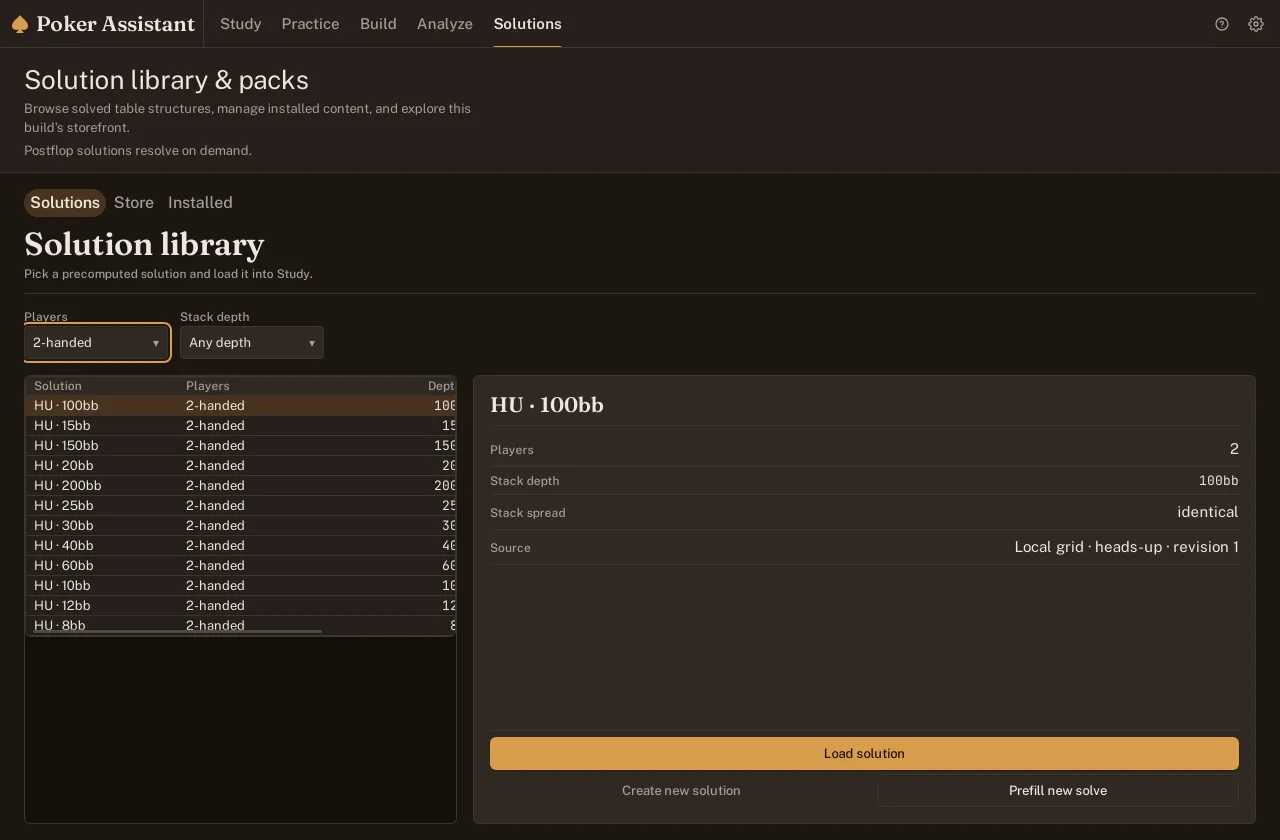
- Open the Solutions tab from the main navigation. The library lists every solved structure the app has, one row per stack depth and game type, whether it shipped free or came with a pack.

- Find the heads-up entry in the list. Select it and the detail pane on the right shows its stack depth and how many players it covers.
- Click Load solution in the detail pane. The structure opens in Study, ready for a spot; Create new solution and Prefill new solve sit next to it for later, once you have a spot of your own to build.
Pick a spot
- Look at the seat row across the top of Study once the structure loads. The seat first to act already shows its grid and action ladder.
- Click a different seat’s card in that row to see its decision instead. Every seat that already folded to it is factored in automatically, and the grid updates in place.
- Try both seats. Heads-up has only two: the button, who posts small and acts first preflop, and the big blind, who only reacts. Switch between them and you see both sides of the same hand.
Read the result
Every cell in the 13 by 13 grid is one starting hand, and its colour names the action the solver takes with it most. Height inside a cell is the frequency: a cell painted in two colours splits that hand between two actions, with the taller slice the one the solver prefers. A cell filled solid, like AA in most opens, does the same thing every time; a cell split down the middle is close to a coin flip between two plays.
The ladder above the grid does the same job in numbers. Each button on it names one action and carries the percentage of hands the seat takes that action with, so the fold button alone tells you how tight or loose this spot plays before you look at a single card. A raise button further along the ladder can carry a size next to it, and a hand can show up on more than one raise button at once if the solver splits it between two sizes.
Open both seats before you leave this screen. The button’s ladder and the big blind’s ladder answer different questions, since one seat opens the pot and the other only reacts to it.
You have read the result once you can point at the ladder and name the seat’s fold frequency, then pick out one cell in the grid that splits between two actions instead of committing to one.