How it works
From played hand to real improvement
Load the game you play. Find the decisions that burn EV. Practice until the right answer is automatic.
1
Load the game you actually play
Pick the free heads-up set or an installed pack. Every solved structure is ready to open, from push/fold to deep-stacked cash.
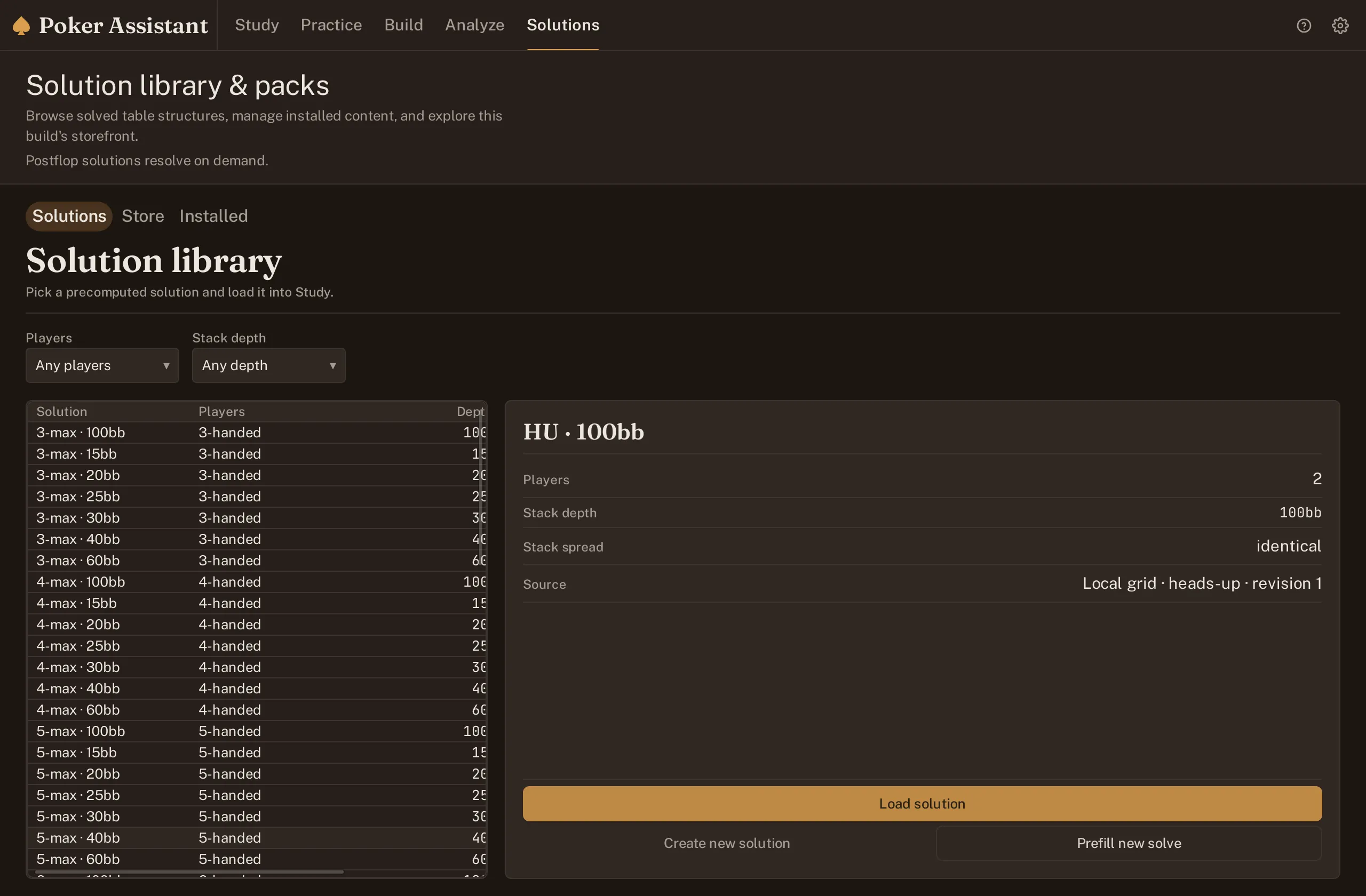
The solution library with the free heads-up set loaded and a 6-max pack installed beside it. 2
Read every hand at a glance
The grid shows the action for all 169 starting hands. Tap any cell for its exact mix; use the action ladder to see how the whole range plays.
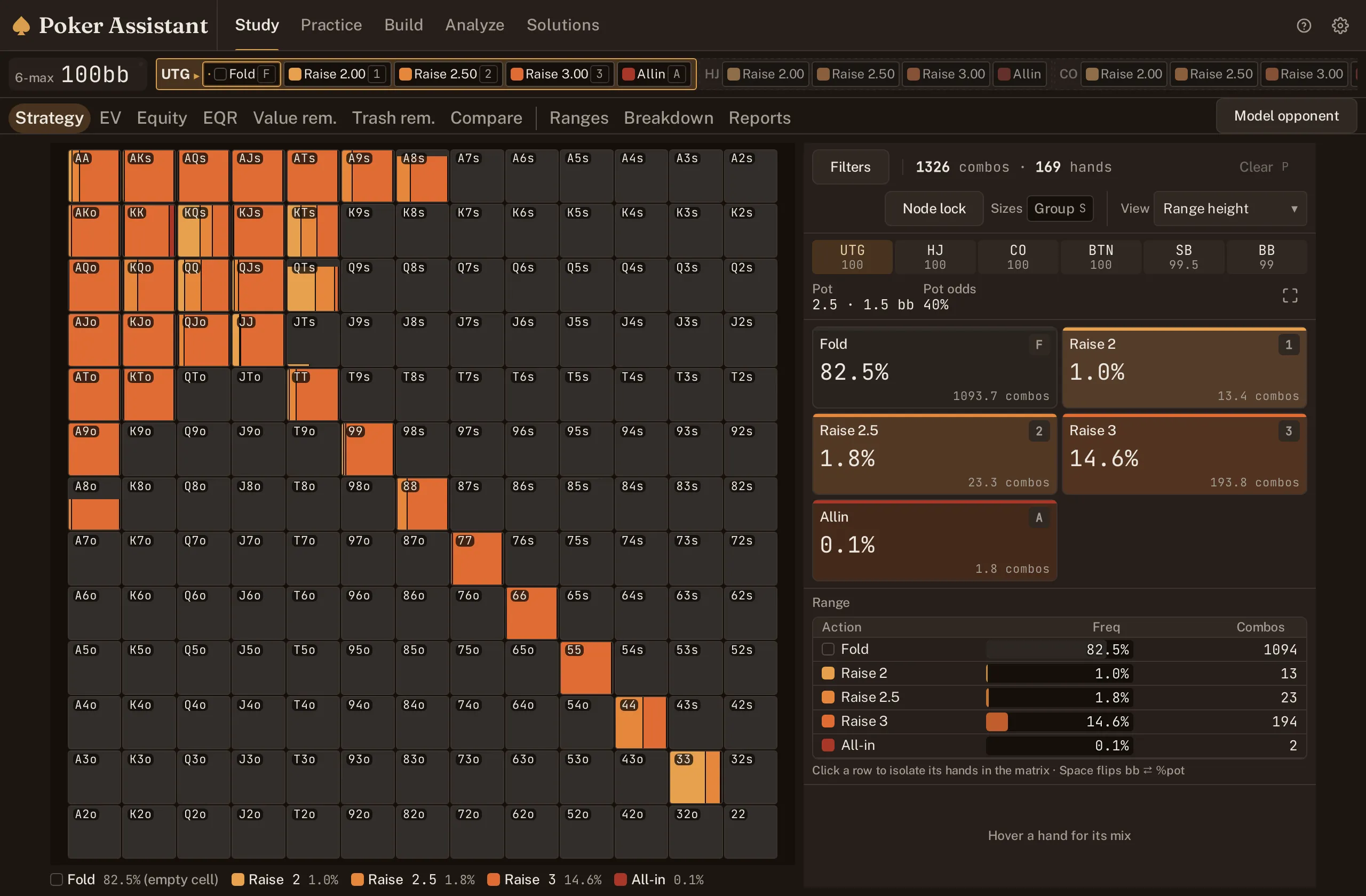
First to act at 100bb. AJo raises at every size; A9o mixes a raise with a fold. 3
See strategy, EV and equity
One spot. Three answers. Strategy tells you the play. EV tells you the price of every option. Equity shows how your hand stacks up before the action starts.
Strategy
EV
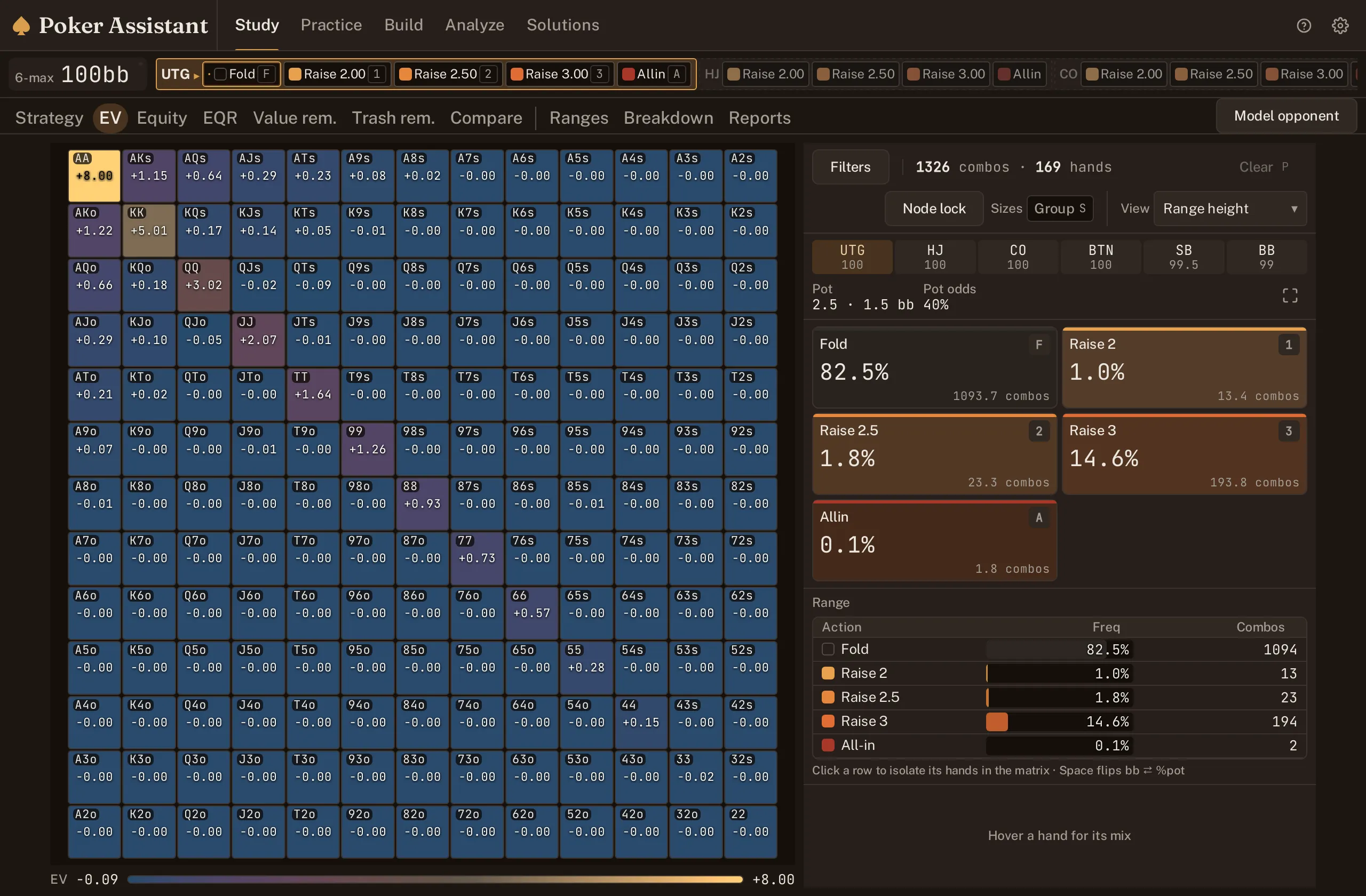
Equity
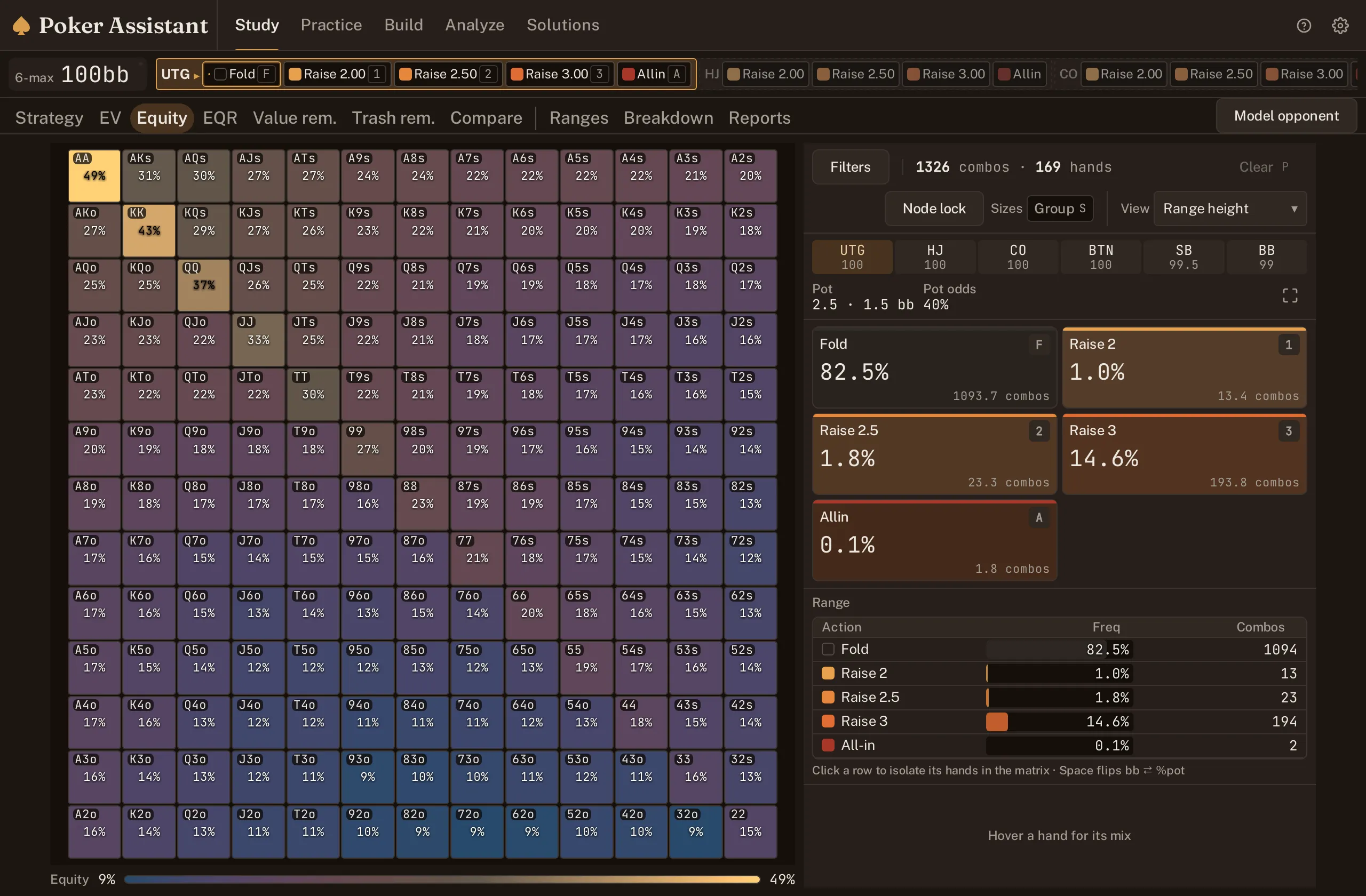
One spot, three lenses; the EV view shows the raise and the fold within a tenth of a big blind for the hands that mix. Solving
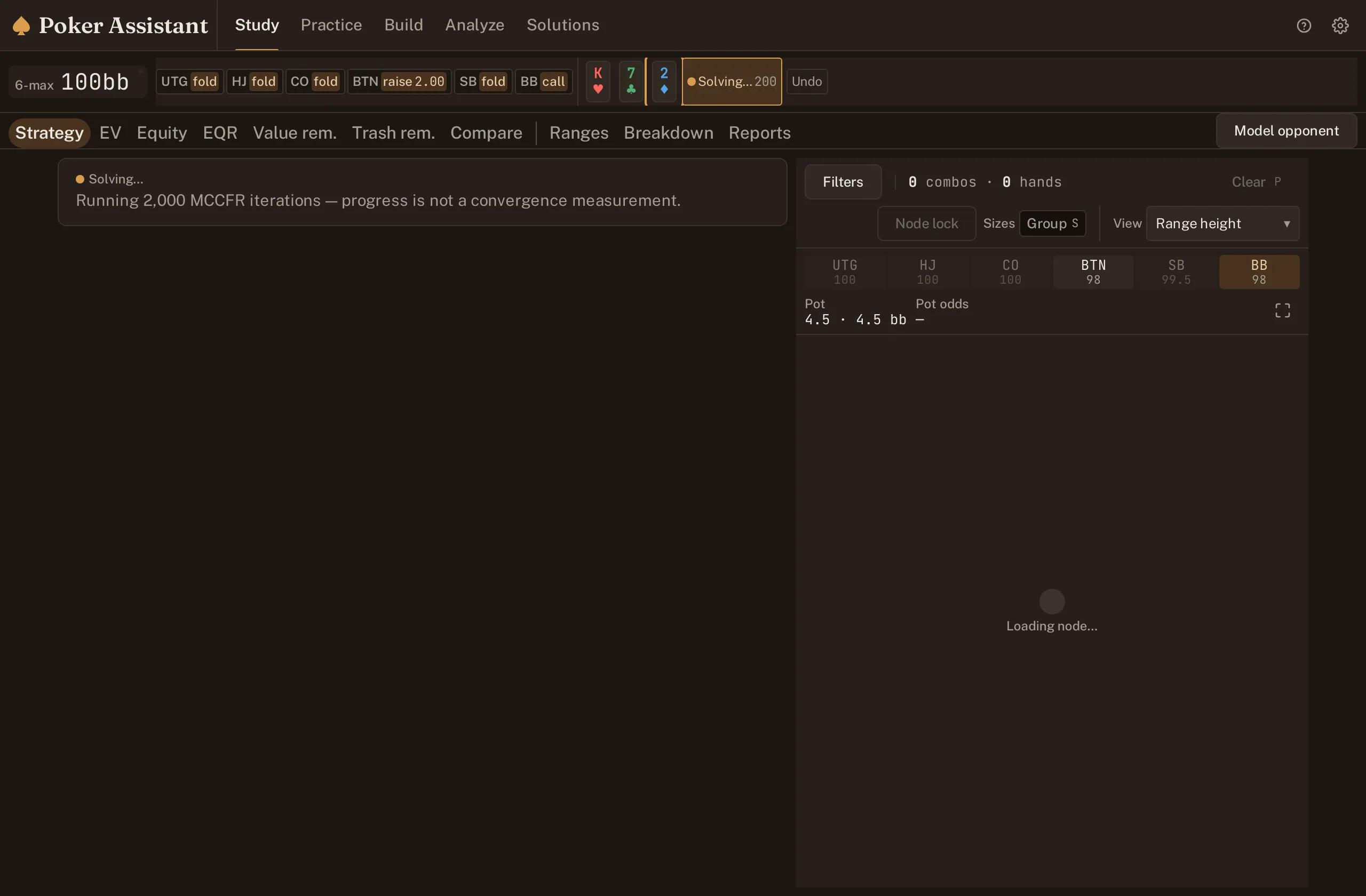
Solved
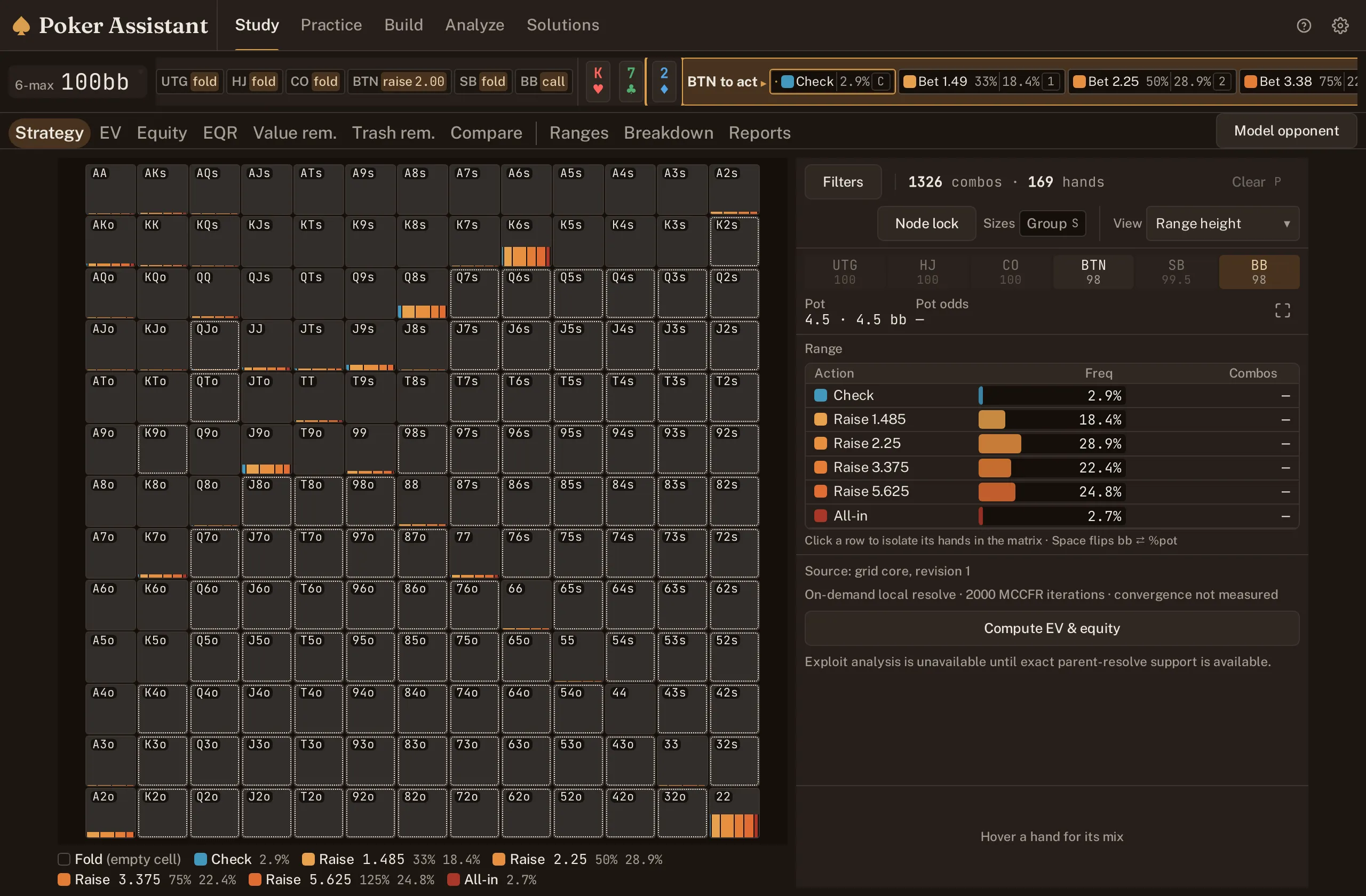
Re-solved
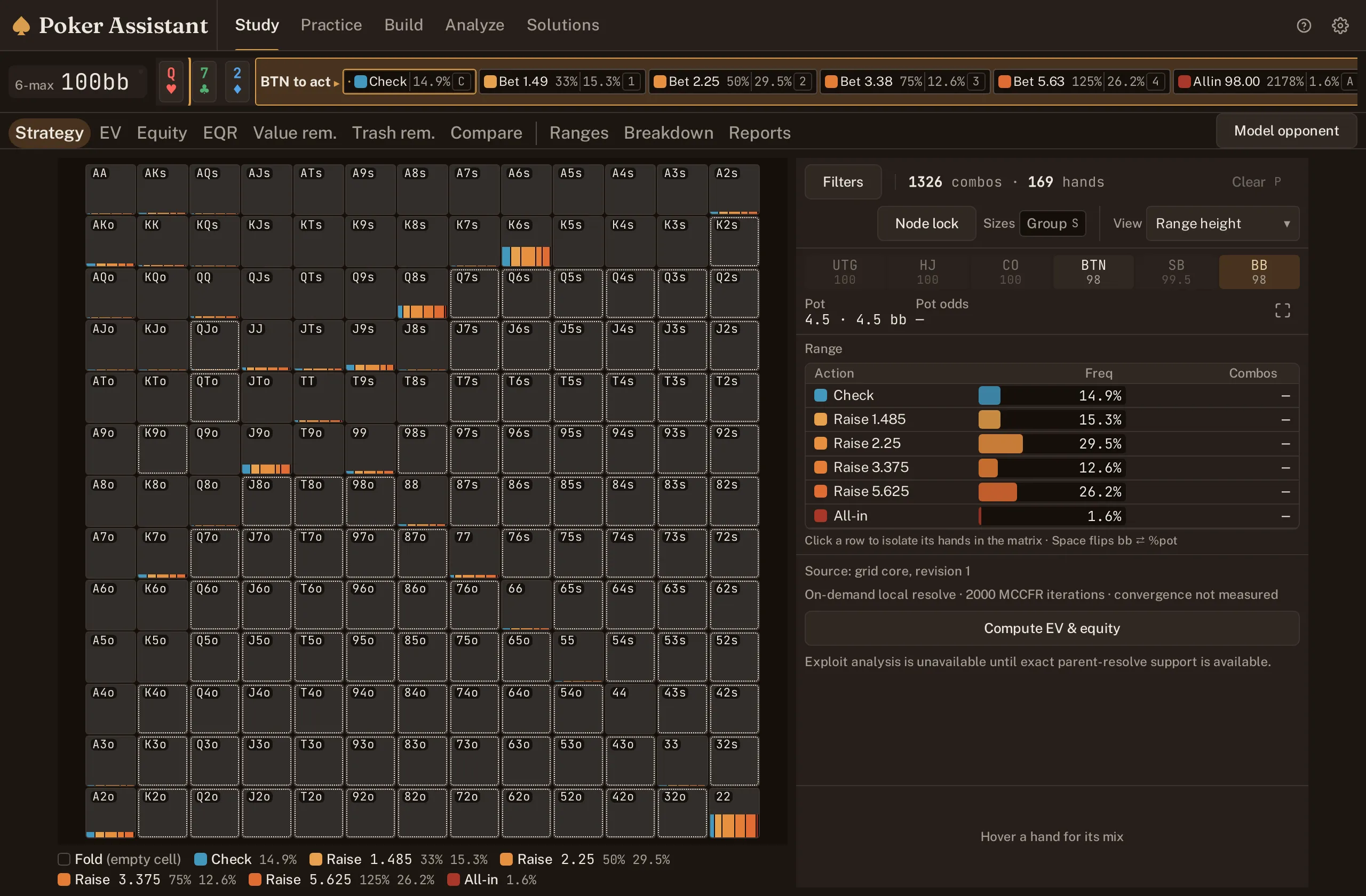
A flop spot resolving on the device, one board and one path at a time. 4
See how boards change the answer
Aggregate reports reveal the patterns a single flop hides. Compare textures, spot the shifts, and learn when the strategy wants to bet or back off.
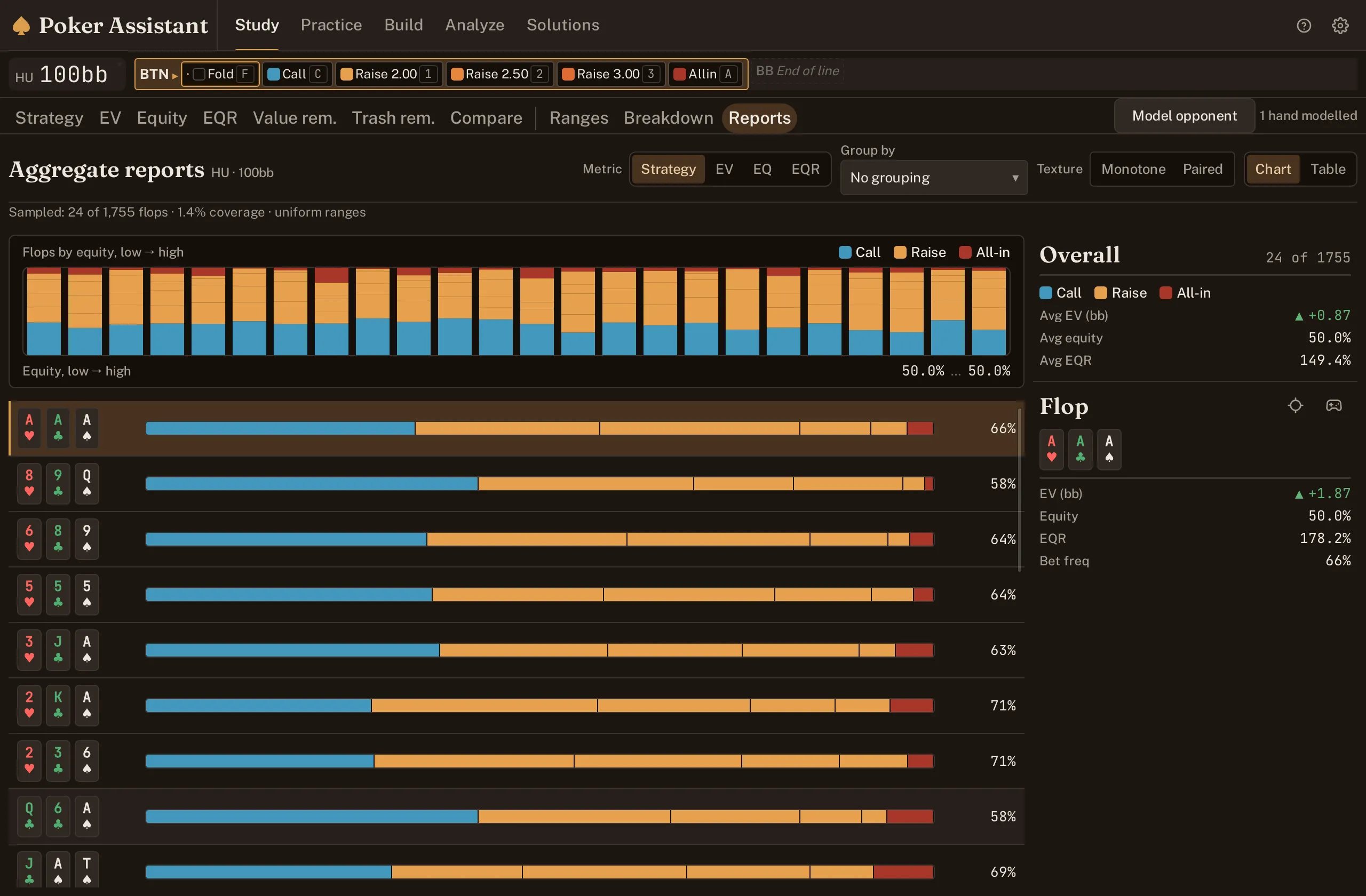
Bet frequency runs from 58% to 71% across the boards shown, twenty-four flops sampled from 1,755. 5
Find the hands costing you money
Paste a hand, open a file, or import a session. Poker Assistant solves the hands on your device and puts your biggest EV losses at the top.
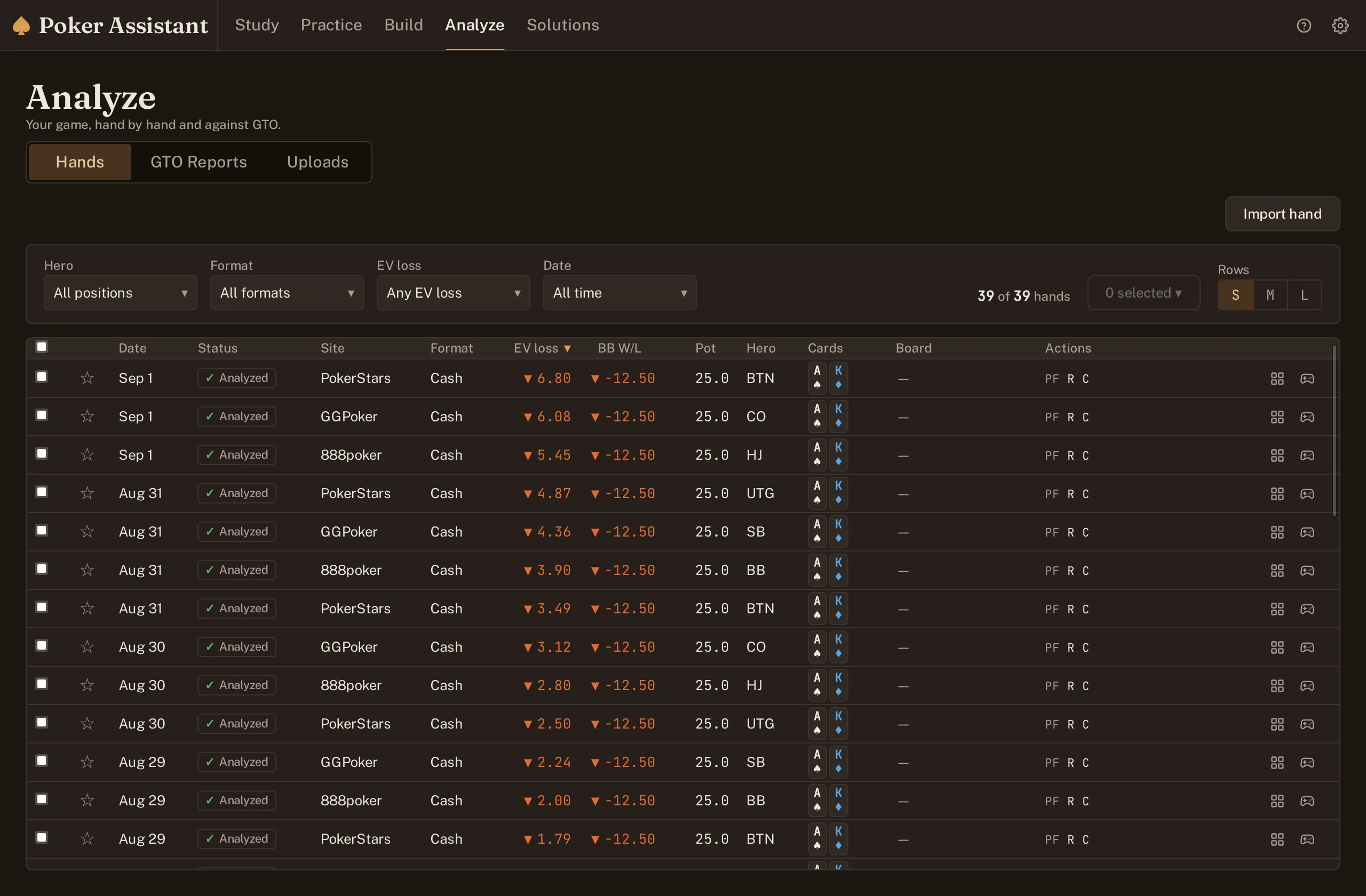
Forty imported hands sorted by EV loss put the expensive mistakes at the top. 6
See exactly where it went wrong
Replay every street against the solved strategy. Your action, the best action and the EV difference are all in one view.
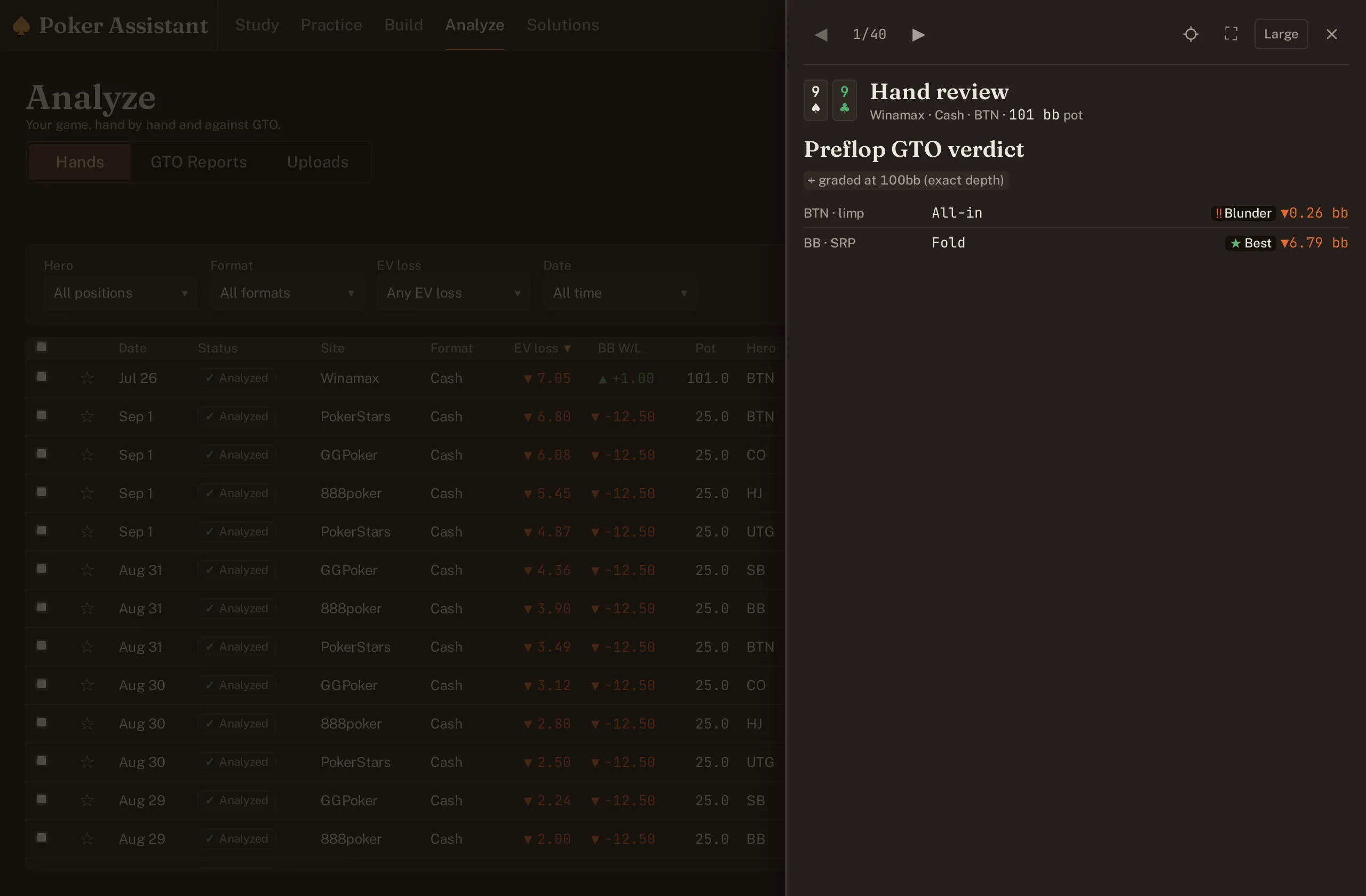
The costliest street here is preflop: a limp then a shove grades Blunder, a quarter big blind lost. 7
Practice until the leak disappears
The trainer deals variations, grades your answer and keeps your misses ready for the next session. Less guessing. More deliberate practice.
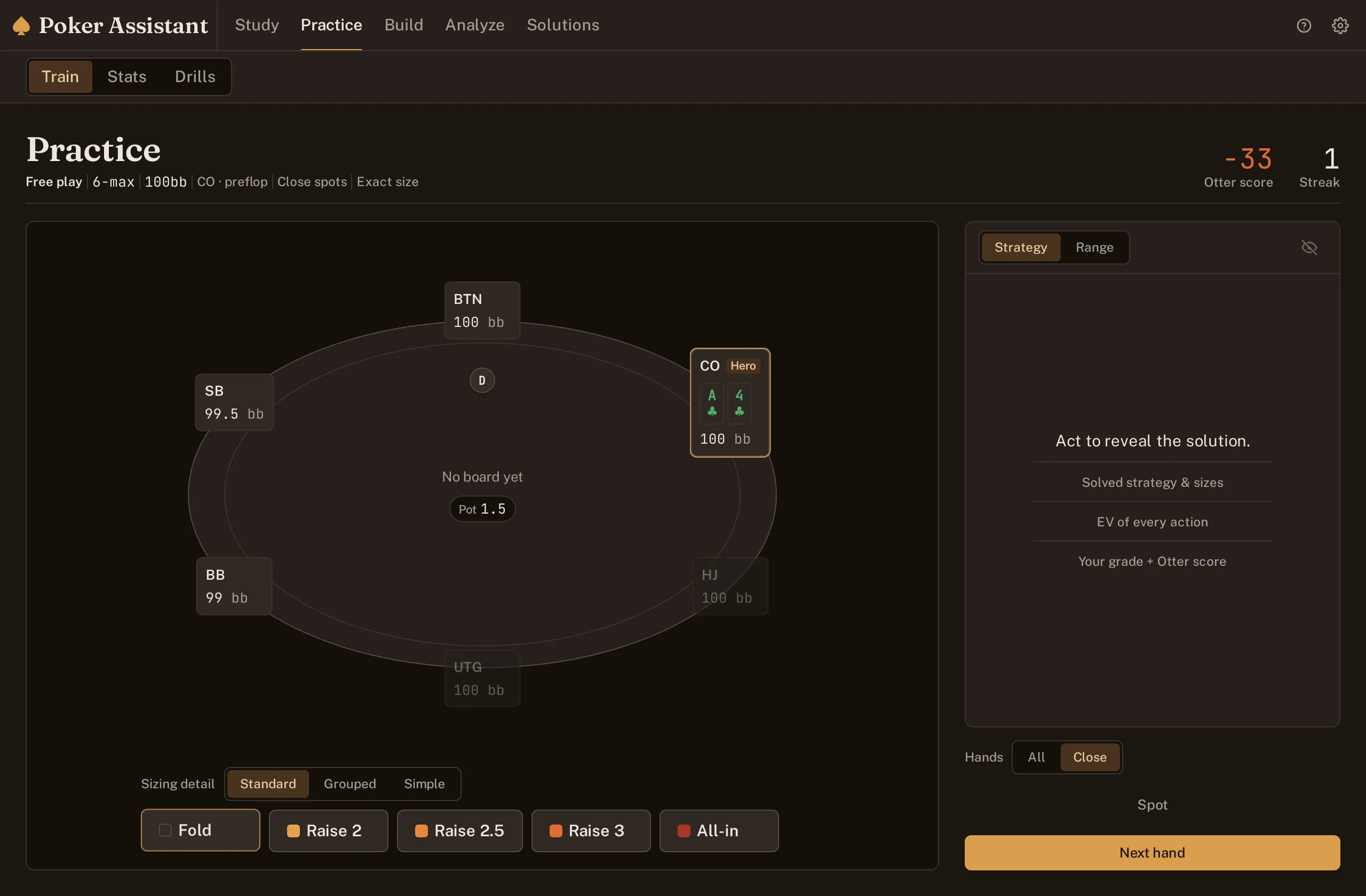
A4 offsuit at the cutoff, unrevealed. The trainer withholds the mix until you act.


Built for study away from the table. Keep it closed while you play.